Adobe InDesign has been a cornerstone in the world of professional publishing and graphic design for years. Whether you are creating a book, magazine, brochure, flyer, or digital document, InDesign offers the tools and features to ensure your page layout looks polished, engaging, and visually appealing. But what exactly makes InDesign so effective for page layout? This article dives into the features, benefits, and reasons why InDesign stands out as the go-to tool for layout design.
1. Comprehensive Page Layout Tools
InDesign comes with a wide variety of page layout tools that make the process efficient and versatile. From creating simple flyers to complex multi-page documents, InDesign provides the tools to easily manipulate your layout. You can manage everything from margins and columns to custom grids and guides, allowing you to create balanced and visually appealing layouts.
- Margins and Columns: InDesign’s flexible margin and column setup lets you create different layouts for each section of your project. This feature is particularly useful when working with complex documents that require varying levels of detail.
- Master Pages: Master pages allow you to create consistent headers, footers, and other recurring elements across multiple pages. This significantly reduces redundancy and makes maintaining consistent styles across a document easier.
2. Precision Control
One of InDesign’s biggest strengths is its ability to give designers precise control over every aspect of the page layout. This level of precision is crucial for ensuring the document looks exactly the way you envision, down to the smallest details.
- Alignment and Spacing Tools: InDesign’s alignment tools, such as snapping, distribution, and spacing controls, help designers precisely position text, images, and other elements. With these tools, you can ensure that your layout is balanced, even, and visually coherent.
- Baseline Grids: Using baseline grids, designers can align text across multiple columns and pages, resulting in a professional and polished appearance. This is particularly useful in books and magazines where consistent line spacing is essential.
- Ruler Guides: Customizable ruler guides make it easy to organize page elements. Designers can place ruler guides and lock them to ensure a consistent structure throughout the document.
3. Integration with Other Adobe Products
InDesign’s seamless integration with other Adobe Creative Cloud products makes it an invaluable tool for designers working across multiple platforms. It allows you to import content from Photoshop, Illustrator, and Acrobat with minimal effort, which significantly speeds up the design process.
- Adobe Photoshop and Illustrator: Images created in Photoshop or vector graphics made in Illustrator can be imported into InDesign, preserving quality and editability. Changes made in the original applications can be updated automatically in InDesign.
- Adobe Fonts: InDesign also integrates with Adobe Fonts, giving you access to thousands of fonts that can enhance your document’s typography.
- Shared Libraries: Adobe Creative Cloud Libraries enable designers to store colors, text styles, logos, and other assets in one location, making collaboration and consistency across multiple projects more efficient.
4. Typography Control
Typography is a key aspect of any layout, and InDesign offers an extensive array of tools for working with type. This makes it particularly attractive for projects that involve a lot of text, such as magazines, books, and reports.
- Paragraph and Character Styles: InDesign allows you to create and manage paragraph and character styles, which makes formatting large amounts of text quick and consistent. This is especially useful for documents with multiple headings, subheadings, and body text.
- Advanced Text Features: InDesign’s advanced text tools include options like kerning, tracking, leading, and drop caps, allowing you to control the look and feel of your text to match your vision. You can also link text frames to ensure that your text flows smoothly across different sections of the document.
- Text Wrap and Overflow Management: The text wrap feature makes it easy to fit text around images or other design elements, while overflow indicators help you identify any hidden or overset text that needs to be adjusted.
5. Versatility in Output
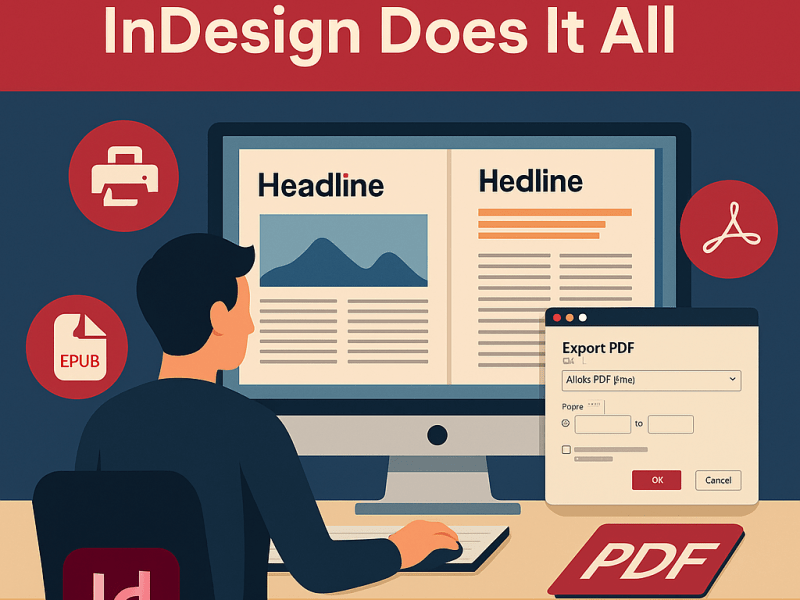
InDesign’s ability to produce documents in various formats makes it a versatile tool for designers working across different mediums.
- Print: InDesign is particularly well-known for its print capabilities. The software supports industry-standard prepress procedures, ensuring that your documents are ready for professional printing. You can define bleeds, crop marks, and use color management tools to ensure the highest quality output.
- Digital Publications: InDesign also supports interactive and digital publishing formats, including ePubs, PDFs, and interactive PDFs. You can add elements like hyperlinks, multimedia, and navigation to your digital documents, making them more engaging for users.
- Responsive Layouts: InDesign’s Alternate Layout feature allows you to create different versions of the same document to suit various devices, screen sizes, and orientations. This is crucial for digital publications that need to work well across multiple platforms.
6. Powerful Automation Features
InDesign’s automation features help save time and ensure accuracy, especially when dealing with large or repetitive tasks.
- Data Merge: The Data Merge feature allows you to create personalized documents, such as business cards, catalogs, or form letters, by merging data from external files like CSV or Excel spreadsheets. This is a powerful feature for streamlining the production of documents that need individualized content.
- Master Pages and Parent Pages: These features allow you to apply consistent elements like logos, headers, or background designs to multiple pages at once. Updating a master page will automatically update all pages that use it, saving considerable time during revisions.
- Content Collector and Conveyor: This tool allows designers to copy content and reuse it throughout a document without duplicating each element manually.
7. Collaboration and Review Tools
InDesign provides features that make collaboration between teams easier and more efficient.
- Share for Review: The Share for Review feature allows you to share a link to your document with stakeholders, who can then leave comments directly on the layout. This eliminates the need for multiple back-and-forth emails, making feedback and revisions faster and more organized.
- Adobe InCopy Integration: InDesign integrates with Adobe InCopy, a text editor for editors and writers. With InCopy, multiple team members can work on the text content while the designer adjusts the layout in InDesign, ensuring that both text and design updates happen in tandem.
8. Customizable Workspaces and User-Friendly Interface
InDesign’s user interface is highly customizable, allowing designers to tailor their workspace to their workflow. You can arrange panels in a way that is convenient for you and save that arrangement as a custom workspace. This makes working on complex projects less stressful by minimizing unnecessary clicks and maximizing efficiency.
- Custom Workspaces: Different types of projects require different tools. InDesign allows users to create custom workspaces for different types of work, whether you’re working on a book layout, a flyer, or a digital publication.
- Tool Efficiency: InDesign’s intuitive interface and wide range of tools make it easy for both beginners and experienced designers to create stunning layouts. You can quickly access the most frequently used tools, adjust properties, and customize keyboard shortcuts to suit your workflow.
9. Reliability and Industry Standard
Adobe InDesign has been an industry standard for page layout design for many years, which means that most professional printers, publishers, and designers use InDesign or are at least familiar with it. This reliability and widespread adoption make InDesign the default choice for anyone looking to produce professional-level documents.
- Print Industry Compatibility: InDesign produces high-quality files that can easily be sent to printers without compatibility issues. You can export documents as PDF/X, an industry standard for high-quality printing, ensuring your colors and layout come out exactly as intended.
- Extensive File Support: InDesign also supports importing and exporting in a variety of formats, allowing for seamless integration with other software and ensuring compatibility with different publishing standards.
Conclusion
Adobe InDesign is undoubtedly one of the best tools available for page layout. Its powerful features, such as precise control over typography, flexible page grids, integration with other Adobe tools, and automation capabilities, make it the preferred choice for designers and publishers worldwide. Whether you are producing a print magazine, an interactive eBook, or a promotional flyer, InDesign provides the versatility, control, and reliability needed to produce professional-quality layouts efficiently.
While it may come with a learning curve, once mastered, InDesign offers an unmatched range of creative possibilities that allow designers to bring their visions to life. With InDesign, you can take your page layouts from ordinary to extraordinary, ensuring your final product is polished, effective, and visually captivating.