For decades, the Adobe InDesign workflow has been remarkably consistent.
Writers created content.
Photographers and illustrators created images.
Editors refined the words.
Designers brought everything together inside InDesign.
When something didn’t fit, the content often had to go back through that production chain.
In 2026, that workflow is beginning to change.
Adobe is integrating artificial intelligence directly into InDesign, bringing generative text, AI-assisted rewriting, image generation, generative image editing and automated accessibility tools closer to the page-layout process.
The result isn’t simply “InDesign with AI.”
Something more significant is happening.
Content creation, editing, design and publishing are beginning to converge inside the same working environment.
That could fundamentally change how designers use InDesign over the next several years.
From Desktop Publishing to AI-Assisted Publishing
Adobe InDesign was built around a straightforward principle.
Bring different types of content together and create a professional publication.
That content could include:
- text
- photographs
- illustrations
- charts
- tables
- logos
- advertisements
- captions
- metadata
InDesign provided sophisticated tools for arranging and formatting those elements.
But InDesign generally didn’t create them.
AI changes that relationship.
The application can increasingly help generate, transform and understand the content contained within a document.
Recent AI capabilities include:
Generate Text
Create written content from a prompt.
Rewrite
Transform existing text.
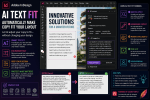
Fit Text
Adapt copy to the space available in the layout.
Text to Image
Generate images from text descriptions.
Generative Expand
Extend imagery beyond its original boundaries.
Generative Fill
Modify areas of an image using generative AI.
Generate Alt Text
Create accessibility descriptions for images.
Adobe is also experimenting with broader AI-assistant capabilities.
Together, these tools suggest that InDesign is evolving beyond traditional desktop publishing toward something better described as an AI-assisted publishing environment.
The Traditional InDesign Workflow
To understand why this matters, consider a traditional brochure project.
The process might look like this:
1. Copywriter creates the text
The content is written in Microsoft Word or Google Docs.
2. Editor reviews the copy
Corrections and revisions are made.
3. Photographer provides images
The designer receives photographs from the client or a stock library.
4. Images are edited in Photoshop
Cropping, retouching and other corrections are completed.
5. Content is imported into InDesign
The designer begins constructing the publication.
6. Layout problems appear
Some paragraphs are too long.
Some photographs don’t fit.
Some headlines don’t work.
7. Content returns to the writer or editor
Copy is shortened.
8. Images return to Photoshop
The designer modifies them.
9. Revised assets return to InDesign
The layout is updated.
10. Accessibility work is completed
Alt text and document structure are reviewed.
This remains a perfectly valid professional workflow.
But it involves a lot of movement between applications and people.
AI is beginning to compress parts of that process.
The Emerging AI-Assisted Workflow
A modern workflow can increasingly look like this:
Create → Generate → Design → Rewrite → Expand → Check Accessibility → Publish
And much more of that process can happen without leaving InDesign.
That’s the key development.
AI isn’t simply adding isolated features.
It is reducing the distance between different stages of publishing.
Generate Text Changes the Empty-Frame Problem
Every designer knows the empty text-frame problem.
The layout needs content.
The writer hasn’t delivered it yet.
Traditionally, the solution has been Lorem Ipsum.
Generate Text introduces another option.
Instead of filling a page with meaningless placeholder copy, designers can generate contextually appropriate draft content.
For example:
Write a 100-word introduction for a sustainable travel magazine feature about Copenhagen. Use an intelligent but approachable editorial tone.
InDesign can generate representative copy directly inside the document.
This can make prototypes much more realistic.
The designer can immediately evaluate:
- line lengths
- paragraph depth
- heading relationships
- column balance
- page density
- typography
- overall composition
The words become part of the design process earlier.
AI Makes Prototyping Faster
This could significantly improve early-stage design work.
Imagine an agency pitching a new magazine concept.
The editorial team hasn’t written the articles because the project hasn’t been approved yet.
The designer still needs to create:
- a cover
- contents page
- feature opener
- article spread
- interview page
- product section
Traditionally, those pages might contain Lorem Ipsum or manually written placeholder text.
AI can produce realistic representative content in minutes.
The prototype therefore feels closer to a finished publication.
Clients can evaluate not just the color palette and typography, but the relationship between realistic content and design.
Rewrite Changes What Happens When Copy Doesn’t Fit
Once actual copy arrives, another familiar problem appears.
It doesn’t fit.
A paragraph is three lines too long.
A headline wraps awkwardly.
A product description pushes another element onto the next page.
Traditionally, the designer has several options.
Reduce the font size.
Reduce leading.
Adjust tracking.
Resize the text frame.
Redesign the page.
Or send the text back for editing.
Rewrite adds another possibility.
The designer can select the content and ask AI to create an alternative version.
For example:
Make this paragraph more concise while preserving its meaning.
The generated version can then be evaluated directly inside the layout.
This is important because the editorial decision is happening where the problem is visible.
Fit Text Connects AI Directly to Layout
Fit Text takes that idea further.
Generic AI writing tools know about words.
InDesign knows about the page.
That distinction creates an interesting opportunity.
The problem isn’t always:
Make this paragraph shorter.
The real problem may be:
Make this paragraph appropriate for this amount of space.
Fit Text brings generative writing closer to actual page geometry.
For designers working with:
- catalogs
- advertisements
- brochures
- newsletters
- sidebars
- product descriptions
- promotional materials
this could eliminate a surprising amount of repetitive editing.
AI Can Reduce Bad Typographic Compromises
This also has implications for typography.
Designers sometimes solve content problems by damaging the typography.
A paragraph is too long, so the font becomes smaller.
The text still doesn’t fit, so the leading is reduced.
Then tracking is tightened.
Eventually, the copy fits.
But the page looks worse.
AI-assisted rewriting creates another option:
fix the content instead of compromising the typography.
That doesn’t mean Rewrite should automatically be used whenever overset text appears.
Sometimes redesigning the page is the correct solution.
But designers now have more choices.
Text to Image Changes Visual Prototyping
Text isn’t the only area affected by AI.
Adobe Firefly-powered Text to Image allows designers to generate visual content from prompts.
Imagine you’re creating a concept for an outdoor-travel magazine.
You need a hero image showing a remote mountain cabin during winter.
Instead of spending 30 minutes searching stock libraries simply to create a prototype, you can generate a representative image.
For concept development, this can be extremely useful.
The purpose isn’t necessarily to replace the final photography.
It’s to help answer:
What would this layout look like if we had the right image?
That makes AI a powerful visual prototyping tool.
Generative Expand Changes Image Cropping
One of the oldest layout problems is the photograph that almost works.
The subject is perfect.
The lighting is perfect.
The image quality is excellent.
But the crop is wrong.
Perhaps you need a vertical image and only have a horizontal photograph.
Or you need more sky above the subject to accommodate a headline.
Traditionally, this might require:
- choosing another image
- changing the layout
- opening Photoshop
- extending the canvas
- reconstructing missing background areas
Generative Expand can create additional visual material beyond the original image boundaries.
This can potentially transform the relationship between image and layout.
Instead of designing around the limitations of the photograph, the photograph can sometimes adapt to the design.
Generative Fill Brings Image Modification Closer to Layout
Generative Fill extends the concept further.
Designers can modify parts of an image using generative AI.
Potential applications include:
- removing distracting objects
- replacing background elements
- introducing new visual elements
- cleaning up composition
- modifying portions of an image
Photoshop remains the more sophisticated environment for advanced image editing.
But that’s not the point.
The advantage is reducing unnecessary context switching for relatively straightforward changes.
If a small adjustment can be completed while working on the publication, the designer can remain focused on the page.
Adobe Express Integration Reinforces the Trend
Adobe’s tighter integration between InDesign and Adobe Express supports the same direction.
Designers increasingly have access to straightforward image-editing operations without needing a traditional:
InDesign → Photoshop → InDesign
round trip for every adjustment.
This doesn’t diminish Photoshop’s importance.
Instead, it creates different levels of image editing.
Simple tasks can stay close to the layout.
Complex tasks move to Photoshop.
That can make production workflows more efficient.
AI Is Changing Accessibility Workflows
One of the most valuable applications of AI in InDesign may have nothing to do with visual creativity.
It’s accessibility.
Images in accessible digital documents often require alternative text.
Alt text describes meaningful visual content for people using screen readers.
Creating those descriptions manually can become time-consuming in image-heavy publications.
AI-generated alt text provides a starting point.
InDesign can analyze an image and generate a suggested description.
The designer can then review and edit it.
This is an excellent example of how AI can assist rather than replace human judgment.
AI Alt Text Still Requires Human Review
Suppose an image shows:
A woman presenting a quarterly sales chart during a company meeting.
AI might generate:
A person standing beside a chart.
Technically, the description isn’t completely wrong.
But it may miss the important context.
The purpose of the image within the publication matters.
A human needs to decide which details are relevant.
The best workflow therefore becomes:
AI generates → Human reviews → Human corrects → Publication exports
AI reduces the blank-page problem without removing responsibility.
InDesign Can Detect When Alt Text May Be Outdated
Recent InDesign improvements make this workflow more intelligent.
Suppose you generate alt text for a photograph.
Later, you substantially crop or reposition the image.
The original description may no longer accurately describe the visible content.
InDesign can indicate that the alt text may need updating.
This is significant because accessibility becomes connected to the actual editing process.
The software isn’t simply storing a description.
It is beginning to recognize that a design change may affect accessibility information.
AI Is Making InDesign More Content-Aware
This points toward a broader shift.
Traditional InDesign understands document structure extremely well.
It knows about:
- pages
- frames
- styles
- objects
- layers
- links
- colors
- fonts
AI introduces another dimension.
InDesign can increasingly understand something about the meaning of the content.
It can interpret text.
It can analyze images.
It can generate descriptions.
It can rewrite language.
It can generate visual material.
That makes the application more content-aware than traditional page-layout software.
The Designer’s Role Is Changing
Does this mean designers become less important?
No.
But some of the work designers perform will change.
Consider the difference between these two tasks:
Task A: Spend 20 minutes searching for a temporary stock photograph for a mockup.
Task B: Decide which visual direction best communicates the publication’s concept.
AI can help significantly with Task A.
Task B still requires design judgment.
Similarly:
Task A: Remove 15 unnecessary words from a paragraph.
Task B: Decide whether the paragraph belongs on the page at all.
AI can assist with Task A.
Task B requires understanding the publication.
The value of the designer therefore shifts increasingly toward:
- judgment
- direction
- systems thinking
- typography
- hierarchy
- brand consistency
- storytelling
- accessibility
- editorial understanding
rather than repetitive production work.
Designers Need New Skills
AI-assisted InDesign workflows also introduce new skills.
Prompting
Designers need to describe what they want clearly.
A vague prompt creates vague results.
Verification
Generated content must be checked.
Editorial judgment
Designers need to recognize when AI has changed the meaning of copy.
AI image evaluation
Generated visuals need to be checked for artifacts, inappropriate details and inconsistencies.
Accessibility judgment
Generated alt text needs contextual review.
Workflow governance
Teams need rules defining where AI can and cannot be used.
These skills will increasingly sit alongside traditional InDesign expertise.
Prompting Becomes Part of the Design Process
Prompting is particularly interesting.
A designer traditionally communicates visually through:
- grids
- typography
- color
- composition
- imagery
Generative AI introduces language as another design-control mechanism.
Instead of manually creating every element, designers can describe desired outcomes.
For example:
Create a sophisticated editorial photograph of modern Scandinavian architecture during early morning, with neutral colors and substantial negative space on the left for a headline.
That is effectively an art-direction instruction expressed as language.
The better the designer understands visual communication, the better that instruction can become.
Prompting therefore doesn’t replace design knowledge.
It rewards it.
AI Doesn’t Remove the Need for InDesign Fundamentals
There is a danger in focusing too heavily on AI.
None of these capabilities removes the need to understand InDesign itself.
Professional users still need to master:
- paragraph styles
- character styles
- object styles
- parent pages
- grids
- baseline grids
- typography
- GREP
- tables
- anchored objects
- preflight
- color management
- PDF export
- EPUB export
- accessibility
- document structure
AI can generate a paragraph.
It cannot automatically guarantee that your publication has a coherent typographic system.
AI can generate an image.
It cannot guarantee that the visual supports the editorial message.
AI can generate alt text.
It cannot guarantee that your entire document is accessible.
The fundamentals remain fundamental.
Don’t Let AI Introduce Factual Errors
Text generation creates a major publishing risk.
AI can invent information.
That includes:
- dates
- statistics
- quotations
- product features
- technical specifications
- company history
- names
- prices
- references
Generated text can sound completely confident while being wrong.
Professional workflows therefore need a clear rule:
AI-generated factual content must be verified before publication.
This is particularly important for catalogs, technical documentation, corporate reporting and regulated industries.
Don’t Let Temporary AI Content Reach Production
Another risk is placeholder contamination.
Imagine generating a temporary product description while building a catalog.
The text looks professional.
Nobody marks it as temporary.
Months later, the catalog is exported with the generated description still inside it.
That description contains invented product specifications.
This is why AI-assisted publishing requires workflow discipline.
Teams may need statuses such as:
AI Draft
Needs Review
Fact Checked
Approved
The easier content becomes to generate, the more important content governance becomes.
Copyright and Brand Considerations Matter
AI-generated visual and textual content also introduces questions around:
- licensing
- attribution
- brand ownership
- corporate policies
- client requirements
- training-data concerns
- publication rights
Adobe positions Firefly around commercially safer generative workflows, but organizations should still establish their own policies.
Large publishers and enterprise design teams may need clear rules about which AI tools are approved for production.
AI Could Transform Catalog Production
Catalogs are an especially strong use case for AI-assisted InDesign workflows.
Consider a catalog containing 2,000 products.
AI could potentially help with:
- normalizing product descriptions
- shortening oversized copy
- generating category introductions
- producing temporary descriptions
- creating alt text
- adjusting imagery
- creating alternate marketing text
Combine that with InDesign’s existing automation capabilities and structured data workflows, and the productivity potential becomes substantial.
Human review remains essential, particularly for product specifications and claims.
But the amount of repetitive editorial work could decrease dramatically.
AI Could Transform Marketing Production
Marketing departments often need many variations of the same content.
A campaign may require:
- brochure
- flyer
- sales sheet
- event handout
- regional version
- product-specific version
AI-assisted rewriting makes variation easier.
A paragraph could be adapted for different:
- audiences
- lengths
- tones
- regions
- formats
Again, the advantage isn’t just generation.
It’s generation inside the production environment.
AI Could Transform Multilingual Publishing
Multilingual publishing presents another opportunity.
Different languages create different layout requirements.
German text may occupy more space than English.
A French headline may wrap differently.
A Dutch product description may create an extra line.
AI-assisted editing can help designers test and adapt those layouts.
It doesn’t replace professional translation.
But it can make the layout stage more flexible once translated content arrives.
AI Assistant Could Be the Next Major Step
Perhaps the most interesting future direction is Adobe’s work around broader AI-assistant functionality in InDesign.
Individual AI tools currently solve specific problems.
Generate Text creates text.
Rewrite changes text.
Generative Expand extends images.
Generate Alt Text creates accessibility descriptions.
An AI assistant could potentially unify these capabilities.
Imagine asking InDesign:
Find all overset text in this document and show me which frames could potentially be fixed by shortening the copy.
Or:
Identify images that don’t have alt text.
Or:
Explain why this EPUB export may have accessibility problems.
Or:
Help me prepare this document for accessible PDF export.
The transition from generative feature to intelligent assistant could eventually be more important than any individual AI tool.
InDesign Is Becoming a Publishing Workspace
This leads to perhaps the biggest change of all.
InDesign has traditionally been described as a page-layout application.
That description is still correct.
But it is becoming incomplete.
A modern InDesign environment increasingly combines:
Layout
Typography
Writing assistance
Image generation
Image modification
Accessibility
Responsive design
Digital publishing
Automation
The application is moving closer to being a complete publishing workspace.
What Should InDesign Users Learn in 2026?
Don’t abandon traditional InDesign skills to chase every AI feature.
Instead, add AI capabilities strategically.
A sensible learning path is:
First: Generate Text
Learn how to create useful contextual draft copy.
Second: Rewrite
Learn how to refine existing content.
Third: Fit Text
Experiment with adapting copy to fixed layouts.
Fourth: Generate Alt Text
Understand how AI can support accessibility.
Fifth: Generative Expand
Explore how image boundaries can adapt to layouts.
Sixth: Text to Image
Use generation for visual prototyping and concept development.
Then combine these capabilities into real workflows.
The goal isn’t to use AI everywhere.
It’s to identify where it saves meaningful time or produces better results.
The Future Is Human + AI + InDesign
The most productive way to think about these developments isn’t:
AI versus designer.
It’s:
Designer + AI + InDesign.
The designer provides:
- intent
- judgment
- taste
- context
- strategy
- verification
AI provides:
- speed
- alternatives
- generation
- transformation
- assistance
InDesign provides:
- structure
- typography
- layout
- document management
- publishing
The combination is considerably more powerful than any one of those elements alone.
Final Thoughts
AI is changing Adobe InDesign, but perhaps not in the way many people initially expected.
The most important development isn’t that InDesign can generate a picture or rewrite a paragraph.
It’s that the boundaries between different stages of publishing are becoming less rigid.
Writing can happen closer to layout.
Editing can happen while the designer sees the page.
Images can adapt to compositions.
Accessibility information can respond to visual changes.
Prototype content can be generated instantly.
InDesign is becoming increasingly aware of the content it contains.
That doesn’t make professional designers obsolete.
It makes judgment more important.
When generating content becomes easy, deciding what deserves to be published becomes harder.
When generating imagery becomes fast, choosing the right imagery becomes more important.
When AI can rewrite a paragraph instantly, understanding whether that paragraph still says the right thing becomes essential.
The InDesign professional of 2026 therefore needs more than technical software knowledge.
They need typography, editorial judgment, accessibility awareness, AI literacy and strong design fundamentals.
AI can accelerate the production process.
But the designer still determines the direction.
And that may ultimately be the most important change AI brings to Adobe InDesign.

 IndesignPerfect