Adobe InDesign has always been excellent at controlling how text looks.
With the introduction of Rewrite, InDesign can now help change what that text actually says.
Introduced with Adobe InDesign 21.4, Rewrite brings AI-assisted text editing directly into the page-layout environment. You can select existing copy and ask InDesign to rewrite it, change its tone, shorten or expand it, or adapt it to work better within the available layout.
For designers, this solves a very familiar problem.
You have finished the layout.
The typography looks right.
The images are positioned perfectly.
But one paragraph is three lines too long.
Traditionally, you would need to manually edit the copy, ask the writer for a shorter version, or start making compromises to the design.
Rewrite provides another option.
Let’s look at how it works and where it can genuinely improve an InDesign workflow.
What Is Rewrite in Adobe InDesign?
Rewrite is an AI-powered text-editing feature built into Adobe InDesign.
Rather than generating an entirely new document, Rewrite works with text that already exists in your layout.
You select the copy and use AI to produce an alternative version.
Depending on what you need, Rewrite can help:
- rephrase existing text
- shorten copy
- expand copy
- change the writing tone
- improve wording
- adapt content to available space
- create alternative versions
- make text better suited to a particular audience
The important distinction is that this happens inside InDesign.
You don’t necessarily have to copy the text into an external AI application, generate another version, paste it back into InDesign and then check whether it fits.
The writing assistance is available where the layout problem actually occurs.
Why Rewrite Matters for InDesign Users
Professional page design is full of situations where the words and the available space don’t quite match.
Imagine you’re designing a brochure.
A section has room for approximately 100 words, but the supplied copy contains 140.
You could reduce the font size.
But that may break your typographic hierarchy.
You could reduce the leading.
But that may damage readability.
You could make the text frame larger.
But that may disturb the grid.
You could reduce tracking.
But excessive tracking adjustments can make the typography look poor.
The best solution may simply be to edit the text.
That’s where Rewrite becomes useful.
Instead of changing the design to accommodate inappropriate copy, you can potentially adapt the copy to fit the design.
How to Use Rewrite in Adobe InDesign
Using Rewrite starts with something every InDesign user already knows how to do: selecting text.
Open your InDesign document and locate the text you want to modify.
Use the Type Tool and select the relevant sentence, paragraph or passage.
With the text selected, access Rewrite from InDesign’s contextual options.
The Rewrite interface lets you choose how you want the selected content transformed.
InDesign then generates an alternative version based on your selected text and instructions.
Review the result carefully.
If you like it, you can use the generated version.
If it isn’t suitable, generate another variation or modify your instruction.
The basic workflow is therefore:
Select → Rewrite → Review → Refine → Apply
The review stage is important.
AI-generated text should never automatically be assumed to be correct simply because it sounds convincing.
Changing the Tone of Your Text
One of Rewrite’s most useful capabilities is changing the tone of existing copy.
Consider this sentence:
Our software provides advanced document-management functionality designed to improve organizational productivity.
It works, but perhaps you’re designing marketing material aimed at small businesses.
A more approachable version might be:
Keep your documents organized and help your team get more done with an easier way to manage your files.
The underlying idea remains similar.
The presentation changes.
This can be particularly helpful when designers receive technically correct copy that doesn’t match the tone of the publication.
Possible situations include making content:
- more professional
- more conversational
- more concise
- more engaging
- more appropriate for marketing
- easier for a general audience to understand
Instead of rewriting the paragraph manually, you can use Rewrite to quickly explore alternatives.
Using Rewrite to Shorten Copy
This may be the most immediately useful application for publication designers.
Suppose your original paragraph reads:
Our new collection has been carefully developed to provide customers with a broad range of contemporary products suitable for modern homes, offices and creative environments.
The paragraph doesn’t quite fit the available frame.
A shorter alternative might become:
Our new collection offers contemporary products for modern homes, offices and creative spaces.
The central message remains.
The word count drops considerably.
For designers working with fixed layouts, this kind of editing can be extremely valuable.
Common examples include:
- magazine sidebars
- product descriptions
- captions
- advertisements
- brochure sections
- pull quotes
- introductions
- callout boxes
- catalog entries
A few unnecessary words can make the difference between a clean layout and an overset text warning.
Using Rewrite to Expand Text
The opposite problem also occurs.
Sometimes the writer provides too little copy.
You have designed a balanced two-column section, but the supplied text only fills half of the available space.
Rewrite can help generate a longer version.
For example:
Our new office chair combines comfort with modern design.
could potentially be expanded into something closer to:
Our new office chair combines everyday comfort with a clean, contemporary design. Created for modern working environments, it provides practical support while fitting naturally into home offices and professional workspaces.
Again, the generated copy requires review.
But it can provide a useful starting point when developing mockups or early design concepts.
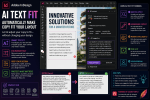
Fit Text: AI Meets Page Layout
One of the most interesting aspects of Rewrite is Fit Text.
Fit Text addresses a problem specific to design applications.
The question isn’t simply:
Can AI make this paragraph shorter?
The more useful question is:
Can AI make this paragraph appropriate for the space available in my layout?
That is much closer to the problem designers actually need to solve.
Fit Text helps adapt copy so that it works within the available text area.
Imagine a product catalog containing hundreds of entries.
Each product has:
- a title
- an image
- a price
- specifications
- a description
The description frame has a fixed size.
Some descriptions fit perfectly.
Others run several lines too long.
Traditionally, someone must edit each oversized description.
Fit Text potentially accelerates that process by helping create shorter alternatives that better match the available layout.
Rewrite vs. Changing Typography
Designers should resist the temptation to solve every copy-fitting problem typographically.
Suppose a paragraph is overset by two lines.
Reducing 11-point text to 9.5 points may technically solve the problem.
But you’ve now created an inconsistency.
Similarly, reducing tracking dramatically can make text difficult to read.
And squeezing the leading can make a paragraph feel visually crowded.
Before compromising the typography, ask whether the problem is actually the text.
If ten unnecessary words can be removed without changing the meaning, editing the copy may produce a much better result.
Rewrite makes that option faster to explore.
Rewrite Can Help with Headlines
Headlines are another obvious use case.
Suppose the supplied headline is:
Discover Our Complete Collection of Innovative Products Designed for Modern Working Environments
It may be perfectly descriptive.
But it is far too long for the layout.
Rewrite can help generate shorter alternatives such as:
Discover Smarter Products for Modern Work
or:
Designed for the Modern Workplace
The designer can then evaluate which version works best visually and editorially.
This is particularly useful when designing:
- advertisements
- landing-page graphics
- posters
- brochures
- magazine covers
- promotional PDFs
- presentation documents
Headline length has an enormous impact on composition.
AI-generated alternatives give designers more options without requiring them to abandon the layout.
Rewrite Can Help with Product Catalogs
Catalog production is an especially interesting application.
Imagine importing descriptions for 500 products from a database.
The descriptions were written by different people over several years.
Some are formal.
Others are casual.
Some contain 50 words.
Others contain 150.
The resulting catalog feels inconsistent.
AI-assisted rewriting can potentially help standardize those descriptions.
For example, a company might decide that every description should:
- use approximately 60 words
- have a professional but approachable tone
- focus on customer benefits
- avoid unnecessary technical language
Rewrite can help individual descriptions move toward that standard.
For large-scale automated publishing, however, this requires careful editorial governance.
AI should not be allowed to invent specifications, dimensions, prices, compatibility information or other factual product details.
Rewrite Can Improve Early Mockups
Another useful application is prototype content.
Designers frequently begin projects before the final copy exists.
Traditionally, the solution has been Lorem Ipsum.
Lorem Ipsum is useful because it allows designers to evaluate typography without being distracted by content.
But it also has disadvantages.
A client looking at a mockup filled with Latin placeholder text may struggle to imagine the finished publication.
Meaningful draft content can create a much more realistic prototype.
AI-assisted writing makes it easier to produce temporary text that resembles the eventual content.
For example, instead of:
Lorem ipsum dolor sit amet, consectetur adipiscing elit…
a travel brochure mockup might contain realistic copy about Rome, Amsterdam or Barcelona.
The layout becomes easier for stakeholders to evaluate.
Rewrite and Multilingual Documents
Modern publishing is often multilingual.
A single corporate brochure may contain English, German, French, Spanish and Dutch versions.
Adobe has designed Rewrite to work with the language of the content or prompt, making AI-assisted editing potentially useful in multilingual production.
This doesn’t mean Rewrite should replace professional translation.
Translation involves much more than replacing words between languages.
Good localization considers:
- cultural context
- terminology
- brand language
- legal requirements
- regional conventions
- audience expectations
But Rewrite can still help with routine editing once translated content has been placed into the layout.
This is particularly useful because translated copy frequently expands or contracts compared with the source language.
A German translation, for example, may occupy significantly more space than the corresponding English text.
AI-assisted shortening can potentially help solve those layout problems.
Always Review AI-Generated Copy
This is the most important rule when using Rewrite.
Do not publish generated copy without reviewing it.
Generative AI can produce fluent language that contains incorrect information.
It can also subtly alter the meaning of the original text.
Suppose the original says:
The battery can provide up to 12 hours of operation under standard testing conditions.
A poor rewrite might accidentally become:
The battery provides 12 hours of operation.
That sounds similar.
But it isn’t the same claim.
“Up to” and “under standard testing conditions” are meaningful qualifications.
Removing them changes the statement.
This becomes particularly serious with:
- product specifications
- financial information
- medical content
- legal text
- safety instructions
- technical documentation
- contractual information
- regulated claims
Use Rewrite to assist editing.
Don’t outsource factual responsibility to it.
Protect Brand Voice
Another risk is losing a company’s established voice.
Many organizations have carefully defined language standards.
They may specify:
- preferred terminology
- prohibited phrases
- capitalization rules
- product naming
- tone
- sentence structure
- accessibility requirements
An AI-generated paragraph may be grammatically excellent while still violating those standards.
Designers working with brand-controlled content should therefore compare rewritten text against the organization’s style guide.
The fastest version isn’t necessarily the correct version.
Be Careful with Legal and Approved Copy
Some text should simply not be rewritten.
Examples include:
- legal disclaimers
- copyright notices
- regulatory statements
- contractual language
- approved medical claims
- financial disclosures
- safety warnings
Even a tiny wording change can alter the legal meaning.
If text has been formally approved, treat it as locked content unless the responsible person authorizes changes.
The fact that Rewrite makes editing easy doesn’t mean every paragraph should be edited.
Rewrite Doesn’t Replace Editors
It’s tempting to frame AI writing tools as replacements for copywriters and editors.
That misunderstands the role of professional editing.
An editor does much more than shorten sentences.
Editors consider:
- factual accuracy
- narrative structure
- consistency
- audience
- context
- terminology
- tone
- legal implications
- publication standards
Rewrite is best understood as another tool in the production process.
For a designer, its greatest value is speed.
It can quickly provide alternatives when the current copy creates a design problem.
A human still decides which alternative is appropriate.
A Practical Rewrite Workflow
A sensible professional workflow might look like this.
1. Complete the initial layout
Place the approved or supplied copy normally.
2. Identify problem areas
Look for overset text, awkward headlines, inconsistent descriptions and unnecessary repetition.
3. Decide whether the problem is design or content
Don’t automatically rewrite text when adjusting the layout would produce a better result.
4. Use Rewrite selectively
Generate alternatives only for content where editorial changes are appropriate.
5. Compare the versions
Don’t simply accept the first result.
6. Verify the meaning
Check names, numbers, dates, claims and technical terminology.
7. Check the brand voice
Make sure the result still sounds like the organization.
8. Check the layout again
A rewritten paragraph may solve one problem while creating another.
9. Obtain approval where required
If you’re working with client-supplied copy, the client or editor may need to approve changes.
This approach allows AI to accelerate production without weakening editorial control.
When Should You Use Rewrite?
Rewrite is particularly useful when you need to:
- shorten copy to solve overset text
- create alternative headlines
- adjust tone
- improve repetitive marketing copy
- create prototype content
- expand short descriptions
- adapt copy to available space
- standardize similar pieces of content
It is less appropriate when working with highly controlled factual or legal material.
The best use cases are situations where the meaning can remain stable while the wording changes.
Rewrite vs. ChatGPT and Other AI Writing Tools
You may reasonably ask:
Why use Rewrite when AI writing applications already exist?
The answer is integration.
An external workflow might involve:
Select text → Copy → Open AI tool → Paste → Enter instruction → Generate → Copy result → Return to InDesign → Paste → Check layout
Rewrite reduces that friction.
The text already exists inside the document.
The layout already exists.
The problem is visible.
The designer can therefore make the editorial adjustment much closer to the point where it is needed.
External AI applications may offer more sophisticated writing capabilities, but InDesign’s advantage is contextual workflow efficiency.
The Bigger Change: InDesign Is Starting to Understand Content
Rewrite is important for another reason.
Historically, InDesign treated text primarily as content to be formatted.
You supplied the words.
InDesign controlled:
- font
- size
- leading
- tracking
- paragraph formatting
- columns
- frames
- flow
Generative AI adds another layer.
The application can now help transform the content itself.
Combine that with other recent AI capabilities such as:
- Generate Text
- Text to Image
- Generative Expand
- Generative Fill
- Generate Alt Text
and a broader strategy becomes visible.
Adobe is gradually moving InDesign from a pure page-layout application toward an AI-assisted publishing environment.
Is Rewrite Worth Using?
Yes — provided you use it for the right problems.
The feature is particularly compelling when text length directly affects layout.
That is where generic AI writing tools and traditional word processors lack an important piece of context: the actual page.
InDesign knows where the text lives.
The designer can see exactly why the content isn’t working.
Rewrite makes it easier to experiment with alternatives without interrupting the design process.
The feature won’t replace good writing.
It won’t replace professional editing.
And it certainly doesn’t remove the need to check factual information.
But it can remove a surprising amount of friction from everyday publication design.
Final Thoughts
Rewrite represents a significant change in the relationship between writing and design inside Adobe InDesign.
For decades, designers have adapted layouts around supplied copy.
Now they have another option.
They can potentially adapt the copy to the layout.
That doesn’t mean automatically shortening every paragraph until the overset warning disappears.
Good publication design still requires judgment.
Sometimes the right solution is to edit the text.
Sometimes it’s to enlarge the frame.
Sometimes it’s to redesign the page.
And sometimes the writer needs to rewrite the entire section.
Rewrite simply gives designers another tool for making that decision.
Start with a simple experiment.
Take a duplicate of an existing InDesign document containing an overset paragraph.
Select the paragraph and use Rewrite to create a shorter version.
Compare the original and generated text carefully.
Check the meaning.
Check the tone.
Then look at what happened to the layout.
That small experiment demonstrates why Rewrite is potentially one of the most useful additions to InDesign in years.
AI-powered text editing isn’t replacing typography or editorial judgment.
It’s becoming another tool alongside them.

 IndesignPerfect