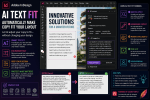
Adobe InDesign has changed considerably over the last two years.
For designers who use InDesign every day, some changes are immediately obvious. Others are easy to miss because Adobe has introduced them gradually across multiple releases.
Taken together, however, they show something much bigger happening to InDesign.
The application is evolving beyond traditional desktop publishing.
Adobe is bringing artificial intelligence, flexible layouts, accessibility, cloud collaboration, document conversion, Adobe Express integration, and workflow automation deeper into the InDesign environment.
For designers returning to InDesign after a year or two away, the application may therefore contain considerably more than expected.
Here are 25 Adobe InDesign features and workflow areas that have changed significantly during the last two years—and why they matter in 2026.
1. Flex Layout
One of the most important additions to modern InDesign is Flex Layout.
Traditional InDesign design is based primarily on fixed positioning.
You decide exactly where a text frame, image, or graphic should appear.
Flex Layout introduces a different philosophy.
Objects can participate in flexible containers where their relationships are controlled through rules involving:
- direction
- spacing
- alignment
- wrapping
- sizing
Instead of positioning every element independently, designers can create components that respond more intelligently when their content changes.
This is particularly valuable for:
- product cards
- profile cards
- callouts
- information panels
- reusable templates
- variable-data publications
It brings concepts familiar from responsive web design into the InDesign environment.
2. Flex Layout Has Become More Practical
Introducing Flex Layout was only the beginning.
Adobe has continued refining how designers interact with flexible containers and their contents.
That matters because responsive layout systems can become frustrating if selecting or editing nested elements is difficult.
Recent improvements make Flex Layout increasingly practical for everyday production rather than merely an experimental layout concept.
For designers, this means Flex Layout deserves serious attention.
It is becoming part of the modern InDesign toolkit.
3. Generate Text
Generative AI has now entered the InDesign writing workflow.
With Generate Text, designers can create copy directly inside their layout using natural-language prompts.
For example, you might request:
Write a short introduction for a sustainable architecture brochure aimed at commercial property developers.
AI can generate draft copy without requiring the designer to leave the document.
Potential uses include:
- placeholder text
- headlines
- captions
- product descriptions
- introductions
- marketing copy
- prototype content
This represents a major shift from traditional Lorem Ipsum workflows.
4. Rewrite Text with AI
Sometimes you already have the content.
It just isn’t quite right.
Adobe’s AI-assisted rewriting capabilities allow text to be modified without starting again from scratch.
Depending on the workflow, text can be rewritten to improve characteristics such as:
- clarity
- tone
- length
- professionalism
- readability
Imagine receiving awkward marketing copy from a client.
Instead of copying it into another AI application, rewriting it, and pasting it back into InDesign, more of that workflow can happen directly within the publishing environment.
5. AI-Assisted Text Fitting
Text fitting has always been a classic InDesign production problem.
The client supplies 180 words.
The available frame comfortably holds 140.
Traditionally, you had several choices:
- reduce the font size
- tighten tracking
- enlarge the frame
- edit the copy
- ask the client to shorten it
AI-assisted workflows introduce another possibility:
adapt the copy to the available space.
This changes the relationship between editorial content and layout.
Instead of always changing the design to accommodate the text, the text itself can become more adaptable.
6. AI-Generated Alt Text
Accessibility is becoming increasingly important in professional publishing.
One of the most repetitive accessibility tasks is writing alternative text for images.
Modern InDesign workflows can use AI to help generate alt-text suggestions based on image content.
For a document containing 150 photographs, that can represent substantial time savings.
Human review remains important.
AI may misunderstand:
- context
- symbolism
- purpose
- relationships between images and surrounding text
But AI can provide a useful first draft.
7. Accessibility Workflows Have Improved
Alt text is only part of the accessibility story.
Adobe has continued improving InDesign’s capabilities around accessible digital publishing.
Designers increasingly need to consider:
- document structure
- heading hierarchy
- reading order
- image descriptions
- meaningful hyperlinks
- accessible tables
- EPUB behavior
- PDF accessibility
Accessibility is moving away from being a specialist afterthought.
It is increasingly becoming part of mainstream publishing practice.
8. EPUB Accessibility Has Improved
Reflowable EPUB remains an important format for accessible digital publishing.
Recent InDesign development has increasingly emphasized better behavior when readers change text size and other display preferences.
This matters because accessible digital content must tolerate user customization.
A reader may enlarge text dramatically.
The layout should continue functioning.
Modern InDesign increasingly encourages designers to think about content that can adapt rather than assuming one immutable page state.
9. PDF-to-InDesign Conversion
For years, designers could place PDFs into InDesign.
But placing a PDF is not the same as editing it.
Modern InDesign has introduced a far more significant capability:
converting PDF content into an editable InDesign document.
This can be extremely valuable when:
- the original INDD file is missing
- a client only has an archived PDF
- an old brochure needs updating
- a previous agency no longer has the source files
- an annual report needs to become the basis for a new edition
Instead of rebuilding everything manually, InDesign can reconstruct much of the PDF into editable content.
10. Better Document Recovery Workflows
PDF conversion represents a broader change in how designers can approach legacy documents.
Historically:
No INDD file = rebuild the document.
Now:
No INDD file = attempt recovery first.
Conversion won’t perfectly reconstruct every original feature.
You may still need to repair:
- fonts
- styles
- parent pages
- text threading
- images
- tables
But even an imperfect reconstruction can save hours of work.
11. Adobe Express Integration
Another major change is the growing relationship between Adobe InDesign and Adobe Express.
InDesign traditionally relied heavily on Photoshop and Illustrator for external asset creation and editing.
Those applications remain essential.
Adobe Express, however, introduces a faster route for common creative tasks.
This is especially useful for designers who need rapid image or campaign variations without performing advanced Photoshop work.
12. Faster Image Editing Through Adobe Express
Adobe Express can support quick image-editing workflows involving tasks such as:
- background removal
- basic image enhancement
- resizing
- cropping
- visual adjustments
- AI-assisted edits
The important change isn’t simply the existence of those tools.
It is workflow integration.
Adobe is reducing the amount of friction involved in moving from page layout to quick asset editing and back again.
13. Firefly Is Becoming Part of the Publishing Workflow
Adobe Firefly has transformed Creative Cloud’s approach to generative AI.
For InDesign users, Firefly-related workflows can assist with generating or modifying visual assets needed for publications.
For example, a designer creating an early brochure concept may need a temporary hero image.
Instead of searching stock libraries immediately, AI can generate a concept image.
This can dramatically accelerate prototyping.
14. Generative Expand Changes Image Cropping
Imagine having the perfect photograph—but in the wrong aspect ratio.
Perhaps you have a horizontal image but need a vertical composition.
Traditionally, your options were limited.
You could:
- crop aggressively
- redesign the layout
- find another image
Generative Expand introduces another possibility.
AI can create additional visual content beyond the original image boundaries.
This can give designers more flexibility when adapting images to different layouts.
15. Generative Fill Makes Asset Correction Faster
Small image problems can create surprisingly large production delays.
A photograph might contain:
- unwanted object
- distracting sign
- unnecessary person
- awkward background element
Generative Fill can help remove or replace these elements.
Again, this doesn’t eliminate Photoshop.
But it can make many routine production corrections dramatically faster.
16. Share for Review Has Matured
Reviewing an InDesign document used to mean exporting a PDF.
Then:
Email PDF.
Wait.
Receive comments.
Create another PDF.
Email again.
Modern InDesign supports Share for Review, allowing designers to create browser-based review experiences.
Clients and stakeholders can review a design without needing InDesign.
This fundamentally improves the feedback workflow.
17. Comments Can Be Managed Inside InDesign
The real value of online review comes when feedback connects directly to the production environment.
Review comments can be surfaced within InDesign.
Designers can work through feedback while keeping the document open.
That means less switching between:
- InDesign
- Acrobat
- browser windows
- project-management systems
For long publications with hundreds of comments, this can be a substantial productivity improvement.
18. Review Links Can Replace Endless PDF Versions
Version confusion is one of the oldest problems in design production.
Files often end up with names such as:
Brochure_Final.pdf
Brochure_Final2.pdf
Brochure_Final_Approved.pdf
Brochure_Final_Approved_New.pdf
Shared review workflows reduce this problem.
Instead of repeatedly sending new attachments, designers can update the shared review.
Stakeholders continue working through a common review destination.
19. Cloud Documents
InDesign is increasingly becoming part of Adobe’s cloud-document architecture.
Cloud documents provide a different approach from traditional local INDD files.
Instead of asking:
Where is the latest file stored?
teams can increasingly work around a shared cloud document.
This becomes especially useful for distributed creative teams.
20. Cloud Version History
Cloud-based document workflows also make version history more useful.
Suppose a client says:
Can we go back to the layout from yesterday?
Traditional production might require searching backup folders for an older INDD file.
Cloud version history provides another route to earlier document states.
This doesn’t replace professional backup strategies.
But it adds an important recovery layer.
21. Invite to Edit
Modern collaboration isn’t limited to comments.
Adobe has expanded cloud-document workflows so selected collaborators can be invited to edit documents.
This creates an important distinction.
Reviewers need to comment.
Collaborators need to edit.
Keeping those roles separate is essential.
A client probably needs review access.
Another designer may need editing access.
Modern InDesign provides increasingly appropriate tools for both.
22. Adobe Projects
Creative work rarely involves one application.
A campaign may include:
- InDesign publication
- Photoshop photography
- Illustrator diagrams
- Adobe Express graphics
- supporting assets
Adobe Projects is part of Adobe’s move toward shared creative workspaces where assets from multiple applications can be organized around a common project.
For creative teams, this signals a larger transition from individual application files toward connected creative workflows.
23. InDesign Is Becoming More Component-Oriented
Flex Layout, reusable design systems, cloud collaboration, and automation all encourage another change:
thinking in components rather than individual pages.
Traditional publishing asks:
What should page 12 look like?
Modern publishing increasingly asks:
Which reusable components should appear on page 12?
Those components might include:
- author cards
- product cards
- statistic panels
- callouts
- feature boxes
- pricing modules
This is much closer to modern web and application design.
24. Automation Is Becoming More Important
InDesign has supported automation for years through:
- scripts
- Data Merge
- XML
- GREP
- styles
But newer capabilities make automation even more powerful.
Consider combining:
Data-driven content
Flex Layout
Auto-sizing
AI-assisted text
Cloud collaboration
Now a template can potentially tolerate much greater content variation than older rigid publishing systems.
This is particularly important for:
- catalogs
- directories
- reports
- multilingual publications
- personalized documents
The future of InDesign isn’t merely faster manual design.
It is smarter publishing systems.
25. InDesign Is Becoming an AI-Assisted Publishing Platform
This is perhaps the biggest change of all.
Look at the direction of recent development.
InDesign now increasingly connects:
Page Layout
Traditional precision publishing.
Artificial Intelligence
Text generation, rewriting, alt text, and creative assistance.
Responsive Design
Flex Layout and adaptable content structures.
Accessibility
Better digital publishing workflows.
Cloud Collaboration
Reviews, comments, cloud documents, and shared editing.
Creative Cloud Integration
Adobe Express, Firefly, Photoshop, Illustrator, and Projects.
Individually, each feature may seem incremental.
Together, they represent a fundamental transformation.
InDesign is evolving from a desktop page-layout application into a more connected publishing platform.
What Hasn’t Changed?
With all these new capabilities, it is equally important to recognize what remains fundamental.
InDesign is still built around professional typography.
Paragraph Styles remain essential.
Character Styles remain essential.
Parent Pages remain essential.
Object Styles remain extremely useful.
Preflight remains important.
Good grid design remains important.
Professional print production remains important.
AI doesn’t replace typography.
Flex Layout doesn’t eliminate grids.
Cloud documents don’t eliminate production discipline.
Adobe Express doesn’t eliminate Photoshop.
The new capabilities expand InDesign rather than invalidate the principles that made it successful.
Which New Features Should You Learn First?
If you haven’t used InDesign seriously for the last two years, don’t attempt to learn everything at once.
Start with the features most relevant to your workflow.
If You Design Marketing Materials
Learn:
- Adobe Express integration
- AI text generation
- Rewrite
- Firefly workflows
- Share for Review
If You Design Catalogs
Learn:
- Flex Layout
- auto-sizing
- Data Merge
- automation
- PDF conversion
If You Create Books or Reports
Learn:
- accessibility improvements
- cloud review
- PDF conversion
- AI-assisted alt text
- EPUB improvements
If You Work in Design Teams
Learn:
- Share for Review
- cloud documents
- Invite to Edit
- Projects
- version history
If You Create Digital Publications
Prioritize:
- accessibility
- EPUB
- responsive design principles
- Flex Layout
- AI-assisted metadata
The Most Important Feature May Be Flex Layout
Of all the recent additions, Flex Layout may ultimately have the greatest long-term impact on how designers construct documents.
AI features are highly visible.
But Flex Layout changes something more fundamental:
the architecture of the page.
Traditional InDesign documents primarily describe positions.
Flex Layout can describe relationships.
That becomes extremely important when publications contain:
- variable content
- translations
- database information
- AI-generated copy
- responsive components
As automation becomes more common, adaptable layout structures become increasingly valuable.
AI May Have the Biggest Immediate Impact
For everyday productivity, however, AI may produce the most noticeable immediate changes.
Designers spend substantial amounts of time:
- writing placeholder text
- shortening copy
- rewriting headings
- generating captions
- describing images
- adapting marketing text
AI can accelerate many of these activities.
The designer still makes the final decision.
But the first draft increasingly doesn’t need to start from an empty text frame.
Accessibility Is No Longer Optional
Another major change isn’t purely technical.
It is professional.
Organizations increasingly expect digital documents to be accessible.
Government agencies, universities, corporations, publishers, and other organizations are placing greater emphasis on accessible content.
That means InDesign designers increasingly need to understand:
- document semantics
- reading order
- alt text
- accessible links
- tables
- EPUB
- accessible PDF export
Accessibility expertise is becoming a valuable professional design skill.
Cloud Collaboration Changes Client Relationships
Share for Review may appear less exciting than generative AI.
But it can have a surprisingly large effect on day-to-day design work.
Consider how much time is wasted managing:
- PDF attachments
- conflicting feedback
- outdated revisions
- screenshots
- email comments
A centralized review environment can eliminate much of that friction.
For freelancers and agencies, this also creates a more professional client experience.
PDF Conversion Solves a Very Old Problem
Some new features create entirely new possibilities.
PDF conversion solves an old frustration.
Almost every experienced designer has eventually received this request:
We need to update this brochure, but we can’t find the InDesign file.
Historically, the answer was often:
We’ll have to recreate it.
Being able to recover editable content from the PDF changes that conversation.
For agencies, freelancers, and corporate design departments, this can be enormously practical.
Adobe Express Is Becoming More Relevant to InDesign Professionals
Professional designers sometimes dismiss Adobe Express because it targets a broader creative audience.
That misses the point.
Express doesn’t need to replace professional design applications to be useful.
Its value lies in speed.
If a designer can remove a background, generate a campaign variation, resize an asset, or perform a quick AI edit faster through Express, then Express becomes another production tool.
The professional workflow increasingly becomes:
InDesign + Photoshop + Illustrator + Express + Firefly
rather than one application doing everything.
The Bigger Adobe Strategy
The recent InDesign changes make more sense when viewed as part of Adobe’s broader Creative Cloud strategy.
Adobe increasingly connects:
Applications
InDesign, Photoshop, Illustrator, Express.
AI
Firefly and generative features.
Assets
Creative Cloud Libraries and shared resources.
Collaboration
Reviews, cloud documents, Projects.
Publishing
Print, PDF, EPUB, digital experiences.
The applications remain specialized.
But the boundaries between their workflows are becoming less rigid.
What InDesign Could Look Like in the Next Two Years
If the current direction continues, expect future InDesign development to focus increasingly on several areas.
More AI Assistance
AI may become more context-aware about entire documents rather than individual selections.
Smarter Responsive Layout
Flex Layout could evolve into increasingly sophisticated adaptive layout systems.
Better Accessibility Automation
More accessibility problems may be detected or suggested automatically.
Deeper Cloud Collaboration
The distinction between desktop documents and collaborative cloud documents may continue shrinking.
Stronger Adobe Express Integration
Quick creative tasks may become even easier to move between InDesign and Express.
More Publishing Automation
AI, data, templates, and flexible layout could combine into increasingly autonomous production workflows.
InDesign’s future may therefore be as much about publishing systems as individual page layouts.
Should Existing InDesign Users Change Their Workflow?
Not simply because a feature is new.
The right approach is to identify where your current workflow creates friction.
If you constantly repair variable content:
Learn Flex Layout.
If clients send chaotic PDF feedback:
Try Share for Review.
If you repeatedly rewrite copy:
Explore AI-assisted writing.
If you inherit old PDFs:
Test PDF conversion.
If you spend too much time on simple image edits:
Explore Adobe Express integration.
If you publish digitally:
Prioritize accessibility and EPUB improvements.
New features are most valuable when they solve real production problems.
Final Thoughts
Adobe InDesign hasn’t become a completely different application during the last two years.
Open it today and you’ll still recognize the fundamental environment.
Pages.
Frames.
Styles.
Typography.
Links.
Parent pages.
Preflight.
Export.
But beneath that familiar interface, the nature of InDesign is changing.
Flex Layout introduces responsive design thinking.
Generate Text and Rewrite introduce generative AI.
AI-generated alt text supports accessibility workflows.
PDF conversion helps recover lost source documents.
Adobe Express and Firefly bring faster image creation and editing into the publishing ecosystem.
Share for Review changes how clients provide feedback.
Cloud documents and Invite to Edit change how teams share working documents.
Adobe Projects connects InDesign with a broader collaborative Creative Cloud environment.
And improved accessibility and EPUB workflows reflect a world where publications need to work for more readers across more devices.
The most important lesson isn’t that InDesign has gained 25 new features.
It is that these features increasingly reinforce one another.
AI creates variable content.
Flex Layout helps layouts adapt to variable content.
Accessibility requires adaptable content.
Cloud collaboration helps teams manage that content.
Adobe Express and Firefly help produce the supporting imagery.
PDF conversion brings legacy content back into the modern workflow.
Together, these developments point toward a new generation of InDesign.
One that remains capable of producing a beautifully typeset printed book or magazine—but can also function as the center of an increasingly AI-assisted, responsive, accessible, automated, and collaborative publishing workflow.
If you haven’t explored InDesign’s newest capabilities recently, 2026 is a very good time to take another look.